

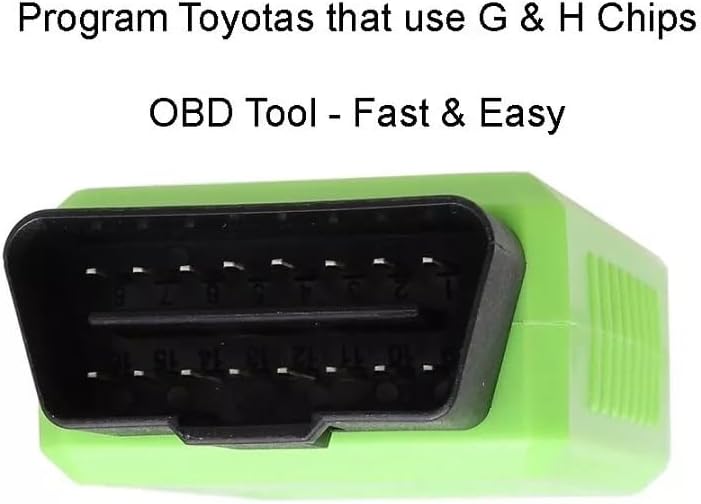
Car Key Programmer for Toyota G and H Chip OBD Remote Programming Device
Product details
| Management number | 219206823 | Release Date | 2026/05/03 | List Price | $14.80 | Model Number | 219206823 | ||
|---|---|---|---|---|---|---|---|---|---|
| Category | |||||||||
Description:Save time and money with Toyota customers that just need a spare key programmed into their vehicles. This will not work for you if your customer lost all of their keys, but it is an extremely affordable option when you have access to one working key.How To Use:To Add Another Transponder KeyFlip the switch on the programmer to the LEFT.Close all doors.Insert the original key into the ignition and turn the key to the ON position.Insert the programmer into the OBD2 port. The programmer will beep twice indicating the beginning of the programming process. After a short pause, the programmer will beep several more times and the vehicle's anti-theft light will illuminate.Once the anti-theft light turns on, remove the customer's original key (the anti-theft light will flash) and insert the new key into the ignition (DO NOT TURN KEY). Anti-theft light will extinguish when the key has been programmed.To Program New RemoteClose all doorsFlip the switch on the programmer to the RIGHT.Insert the original key into the ignition and turn the key to the ON position.Insert the programmer into the OBD2 port. The programmer will beep twice indicating the beginning of the programming process. After a short pause, the programmer will beep several more times and the vehicle's anti-theft light will illuminate.Open the driver's door. The programmer will begin beeping.Press both the LOCK and UNLOCK buttons at the same time on the new remote.Release both buttons.Press the LOCK buttonPreparationBefore starting, ensure you have:One already programmed master key.The new unprogrammed spare key.The Toyota G & H key programmer tool.Programming ProcedureStep 1: Set the Device ModeEnsure the switch on the side of the programmer is set to the "Add Transponder" position (this is usually the "Left" or "I" position indicated on the label).Step 2: Prepare the IgnitionInsert your programmed master key into the ignition cylinder.Turn the ignition to the ON position (dashboard lights should illuminate).Step 3: Connect the ProgrammerLocate the OBDII port beneath the dashboard on the driver's side.Plug the programmer into the port. You should hear a short beep indicating a successful connection.Step 4: Initiate ProgrammingOnce connected, the device will begin communicating with the vehicle.Wait for the security light on the dashboard to stop flashing and stay solid, or follow the beep signals from the device.Turn the ignition OFF and remove the master key.Step 5: Register the New KeyInsert the new unprogrammed key into the ignition.Do not turn the ignition. Simply leave it in the "OFF" or "LOCK" position.Watch the security light on the dashboard. It will flash for approximately one minute while the transponder data is being copied.Once the security light goes out, the key registration is complete.Step 6: Test the New KeyRemove the new key from the ignition.Wait a few seconds, then re-insert it and start the engine to confirm the transponder is programmed.Test the remote buttons (Lock/Unlock) to ensure the integrated remote functions are also active.
- Save time and money with Toyota customers that just need a spare key programmed into their vehicles. This will not work for you if your customer lost all of their keys, but it is an extremely affordable option when you have access to one working key.
| Brand Name | BL&GK |
|---|---|
| Manufacturer | BL&GK |
| Included Components | Programmer |
| Manufacturer Part Number | 35118-TY4-A1011 |
| Manufacturer Warranty Description | 30 DAYS Return / Replacement |
| Global Trade Identification Number | 03111474142565 |

Bestseller ranking
Keyless Entry Systems



Customers who viewed this product also viewed
Shelves





Correction of product information
If you notice any omissions or errors in the product information on this page, please use the correction request form below.
Correction Request Form